 Channel Tools toolbar.
The Vertical Channel Tools can be used for making localised changes to the road crossfall/camber (the gradient from the centreline to the road edge). For example, this can be useful for creating super-elevation on main-road curves.
The vertical channel tools are a part of the channel and footway editing tools and can be found on the Channel Tools toolbar.
 Create Vertical Transition
Select this button to add a new vertical transition to a channel.
You then select which road channel you want to edit. As you move the mouse over the drawing the channel closest to the cursor will highlight. Click the mouse to select the desired item.
A window will appear prompting for the properties of the vertical transition.
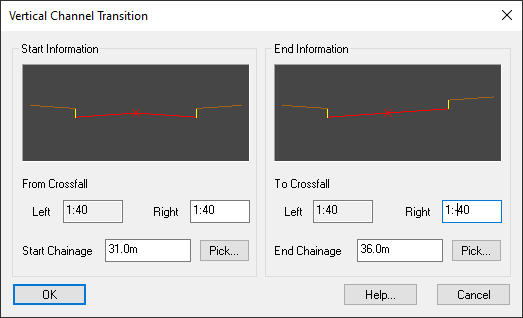
The diagrams on the top half of the window show the current vertical cross section of the road at the start and end chainage locations.
The Start Chainage and End Chainage specify the length of road over which the change in crossfall gradient will occur.
You can use the Pick... buttons to select the chainages straight off the drawing.
Here you can set the crossfall gradient that will be set at the two chainages.
To create a road which falls from the centre outwards to the channel, i.e. a cambered road, a positive gradient can be set (for example, 1:40). To change to super-elevation a negative gradient can be given (for example, 1:-40).
Here the level at the specified centreline chainage and crossfall gradient will be shown. This is the level of the point on the channel which is perpendicular to the centreline at the given centreline chainage. This level is determined by the perpendicular offset to the channel and the crossfall gradient. If you pick a new chainage or change the crossfall gradient the level will be updated.
If you type in the level that you want at this point (the point on the channel which is perpendicular to the centreline chainage) then the crossfall gradient will be updated to achieve the level you have specified.
Adding super elevation to a bend in a road will reduce the outward forces and allow vehicles to safely negotiate the bend.
Below is an image of a standard road with a bend that we may want to add super elevation to.
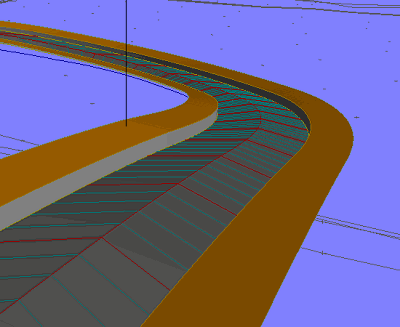
To do this a new vertical transition will be added leading into the bend.
This window shows properties for a vertical transition going into super-elevation at the start of the bend.
Initially the road has standard camber of 1:40 at the start chainage, and over the specified chainage range it changes to a crossfall of 1:-40.
The diagrams in the top half of the window show the cross section of the road before and after the crossfall change.
This will result in the remainder of the road being set to a 1:-40 crossfall.
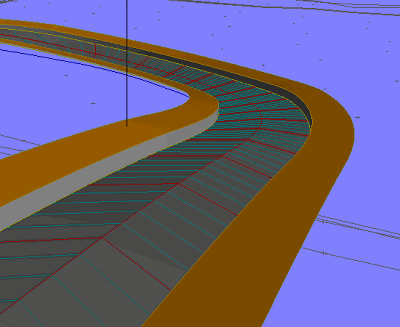
So, exiting the bend we will want to add a second vertical transition, to bring the crossfall back to standard camber:
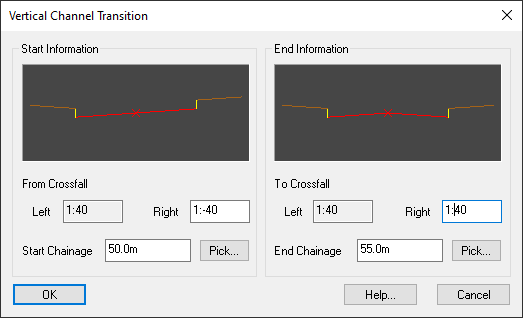
This window shows properties for a vertical transition returning from super-elevation at the end of a bend.
The start of the transition is at a crossfall grade of 1:-40 (falling from the outer channel down to the centreline). Over the specified chainage range the grade changes to 1:40 (falling from the centreline down to the channel).
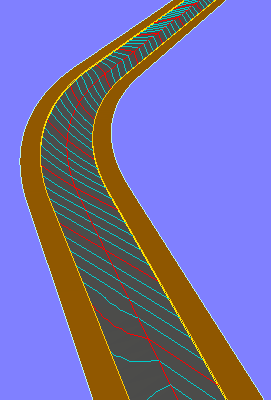
The following image shows the effect of applying super-elevation to a road curve:
 Edit Vertical Transition
Select this button to modify a channel's vertical transition.
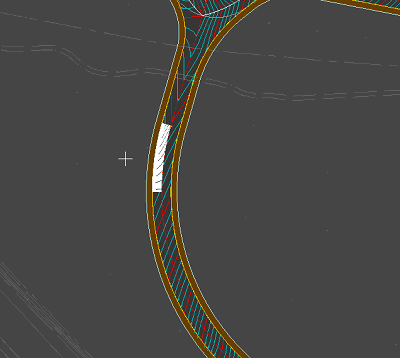
You then select the vertical transition you want to edit. As you move the mouse over the drawing the vertical transition closest to the cursor will highlight. Click the mouse to select the desired item.
After selecting the vertical transition you will see the Vertical Channel Transition window as described above in the Create Vertical Transition section.
 Delete Vertical Transition
Select this button to delete a vertical transition from a road channel.
After pressing the button you then select the vertical transition you want to delete. As you move the mouse over the drawing the vertical transition closest to the cursor will highlight. Click the mouse to delete the selected item.